Mark up building plans on iPhone, iPad, and Mac. Ship handover faster.
MyMarkups is the offline-first, privacy-respecting PDF markup app for construction, installation and commissioning. Same app on iPhone, iPad, and Mac (Catalyst). Drop pins, track tasks, capture evidence, export handover packs.
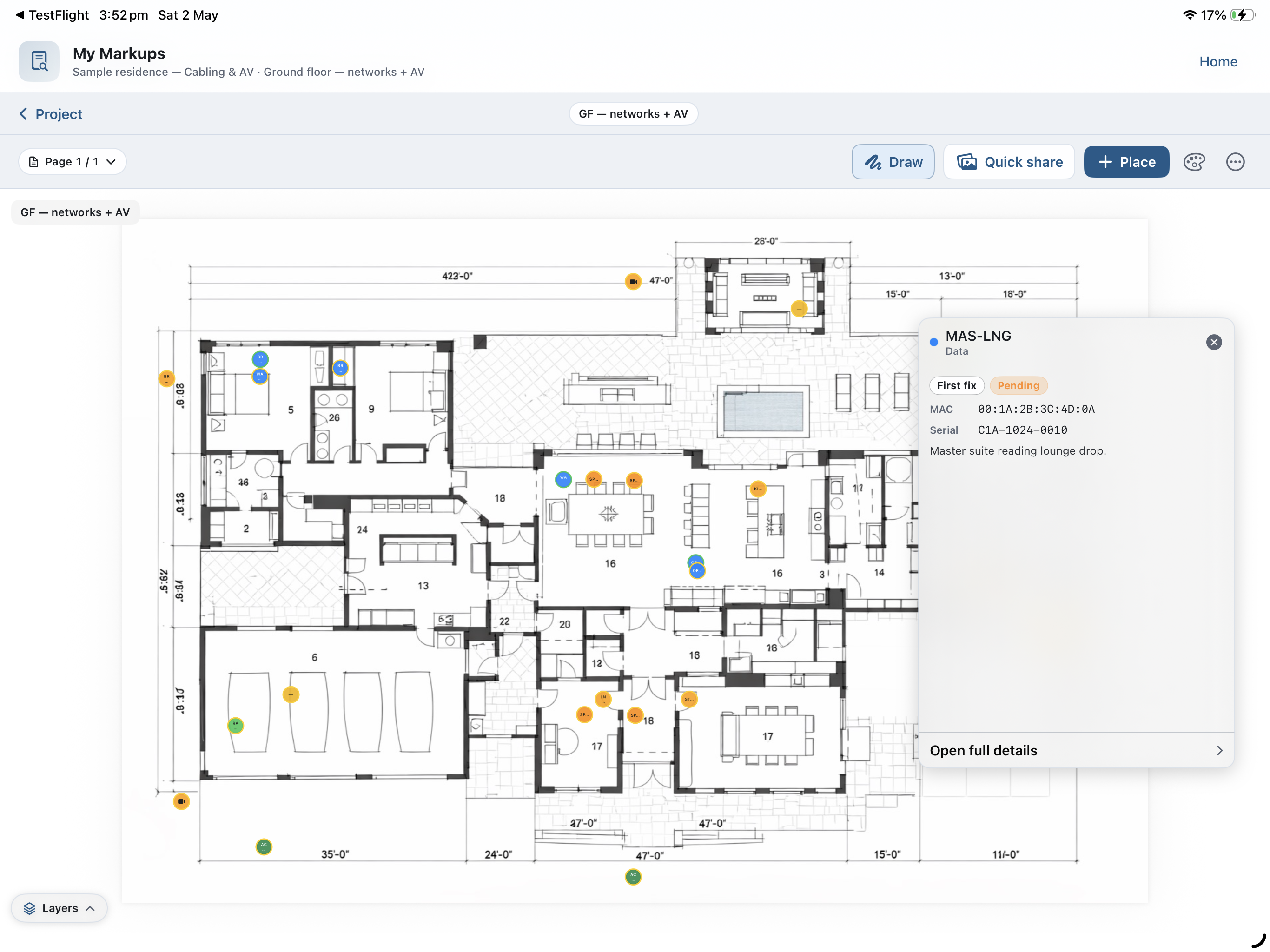
Built for the way site teams actually work
Not a generic PDF app bolted onto construction. Every feature was designed on real jobs, with real trades.
Plans and PDF viewer
Import, organise and navigate huge plan sets with snappy pan, zoom and page jump.
Learn more →Pins and tasks
Drop pins on plans, attach tasks, photos, notes and evidence.
Learn more →Layers and markup
Draw, highlight, measure and annotate. Layers stay crisp and never flatten your plan.
Learn more →Photos and files
Capture on-site evidence straight to the pin. Stored on-device with full file protection.
Learn more →Sheets
Tabular data and imports beside your plans — quantities, kit lists, snag rows.
Learn more →Notes
Project notes linked to drawings, pages, pins, tasks, and evidence.
Learn more →Barcode scanner
Scan equipment, link to pins, datasets, files or PCs.
Learn more →Handover exports
Per-item export picker. Send only what each recipient actually needs.
Learn more →From blank plan to handover pack
The loop is the same, whether you are first fix, commissioning, or running the final snag.
- 1 Import a plan PDF on iPhone, iPad, or Mac (drag in from Files or the project hub).
- 2 Drop pins where work happens. Attach tasks, photos and notes.
- 3 Mark up with drawing layers — freehand, lines, arrows, measurements.
- 4 Capture evidence as you go. Everything stays on-device.
- 5 Export a tailored handover pack — choose exactly what to include.
One app, every trade
Pick a pathway that matches how you work.
Your data stays on the device
No servers. No analytics of your content. Contacts are excluded from every export by default - you explicitly opt-in per share.
Basic (free) and MyMarkups Pro
The website matches the app: Basic is the free plan with per-job and monthly ceilings; Pro removes every cap via Apple In-App Purchase. Open ⋯ on the home screen for Upgrade to Pro and Subscription settings.
On Basic you get the full toolkit — limits are on counts per job and on exports, imports, and scans each month (reset on the 1st). Pro adds unlimited projects, sheets, tasks, files, photos, exports, imports, and scans, plus priority support and early betas, as shown on the in-app upgrade sheet.
Businesses: need sync between users, permission-based file sharing, and the rest of the team programme from the app? Message us — we set that up with you directly. Details on Pricing.
See limits and tiersHonest answers
Yes. The app is offline-first and every project is stored on-device. You can go up a riser, into a plant room, or out to a remote site and keep working.
No. There is no sign-up, no cloud sync by default. You only share when you explicitly export or AirDrop a bundle.
Your data never leaves the device unless you explicitly export it. Contacts are excluded from every export by default; you must tick them on each time.
iPhone and iPad (iOS / iPadOS 17+) for site and walk-arounds; the same app runs on Mac via Mac Catalyst for desk work, large monitors, and trackpad. Apple Pencil shines on iPad for dense plans.
Flattened PDF reports, project bundle (for transferring to another device) and per-item pickers for photos, files and layers.
Ready to mark up your next job?
MyMarkups is built for site teams who need to move fast without giving up control of their data. No accounts. No cloud lock-in. Runs offline.